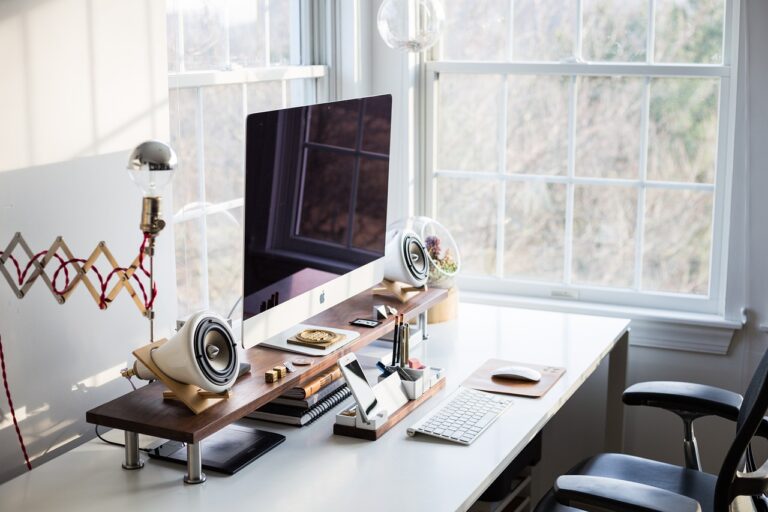
Standing desks and laptop stands are both marketed as solutions for neck pain. Neither claim is wrong — but neither is complete. They solve different problems, at different price points, for different setups. If you pick the wrong one, you’ll spend money and still have the same pain.
This article is for people who already have neck pain and are trying to decide between the two. Not as a general ergonomics overview — as a practical decision.
What Causes the Neck Pain in the First Place
Before comparing products, it helps to know what you’re actually fixing.
The most common cause of desk-related neck pain is a screen that sits too low. When your monitor or laptop screen is below eye level, you tilt your chin down slightly to read it. A few degrees of forward head tilt add roughly 10 pounds of effective load to your neck muscles per few degrees. Do that for six to eight hours and the muscles fatigue. Do it daily for weeks and you get chronic soreness.
The second most common cause is a static posture held for too long — sitting in any one position without movement creates compression and muscle fatigue regardless of how correct the position is.
Both a standing desk and a laptop stand address the first problem. Neither automatically fixes the second.
If you’ve already confirmed your screen is too low, this article on monitor-too-low neck pain covers the mechanics and what specifically to fix.
What a Standing Desk Actually Does
A standing desk moves your entire work surface up and down. That lets you alternate between sitting and standing throughout the day. The ergonomic benefit comes from two things: breaking up long static sitting periods, and making it easier to maintain a correct monitor height across postures.
Standing does not automatically fix neck pain. If your screen is at the wrong height while standing — which is common when people first get sit-stand desks and don’t recheck their setup — you’ll strain the same muscles you were straining while seated. The desk gives you the ability to find a good position; you still have to set it correctly.
Standing desks cost $300 to $800 for a reasonable motorized option. They require space, a significant purchase decision, and a period of adjustment to actually build the habit of switching positions. If you use one but only stand for 10 minutes a day because the habit never stuck, you’ve paid a lot for a height-adjustable sitting desk.
Standing desks work best for people who:
- Are already committed to alternating between sitting and standing throughout the day
- Have a desktop monitor or external display (screen height adjusts with the desk)
- Have the budget and workspace for a full desk replacement
- Experience pain primarily from sustained sitting, not from screen height alone
What a Laptop Stand Actually Does
A laptop stand raises your laptop screen. That’s its only function. It gets your screen closer to eye level, which reduces the chin-down posture that strains your neck.
The trade-off is well-documented: when you raise the laptop screen to the correct height, the built-in keyboard is now too high for comfortable typing. This means a laptop stand only works as a neck pain solution if you pair it with an external keyboard and mouse. If you prop your laptop up and keep using the built-in keyboard, you’ll solve the neck pain and create wrist and shoulder pain.
Done correctly — laptop raised, external keyboard at elbow height — a laptop stand recreates the ergonomics of a proper desktop setup for about $30 to $80. That’s a significant cost advantage over a standing desk, and it works in small spaces.

When a Laptop Stand Is the Better Call
A laptop stand is the right choice when:
- Your primary problem is screen height. If your neck pain is worst after long focused sessions and feels fine on weekends, screen height is almost certainly the cause. A laptop stand fixes this directly.
- You work on a laptop at a fixed desk. This is exactly the use case a laptop stand was designed for.
- Space is a constraint. A laptop stand adds minimal footprint. On a small desk, it doesn’t compete for surface area the way a monitor riser with a shelf might.
- Budget is a constraint. A stand plus a basic external keyboard will cost $50 to $100 total. A standing desk costs five to ten times that.
- You want a fast, reversible fix. A laptop stand can be set up in minutes and you’ll know within a few days whether it’s working.
If you’ve never tried raising your screen and you have neck pain, a laptop stand is almost always the right first move. It’s cheap, quick to test, and solves the single most common cause of desk neck pain.
The laptop stand neck pain guide covers how to pick the right height and what to pair it with.
When a Standing Desk Is the Better Call
A standing desk is the right choice when:
- You already have a desktop monitor setup. A monitor at the right height on a standing desk rises with the desk, so you maintain correct ergonomics at both sitting and standing heights without reconfiguring anything.
- Sustained sitting is specifically your problem. If you have lower back pain, hip tightness, or energy fatigue in addition to neck pain, alternating postures will help more than any height adjustment alone.
- You want to change your workday structure, not just your screen position. A standing desk is as much a behavioral tool as an ergonomic one. If you want to build in more movement, it supports that directly.
- You’ve already fixed screen height and still have pain. If you’ve raised your screen correctly and the neck pain persists, sustained static posture is likely the remaining factor.
A standing desk does not replace fixing your monitor height — it assumes you’ll set the correct height at both sitting and standing positions. If you haven’t already worked through the basics of monitor height and neck pain, do that before buying a standing desk.
If You Have Both a Laptop and an External Monitor
This is worth calling out specifically because it changes the decision.
If you use a laptop connected to an external monitor, a standing desk helps you significantly — the external monitor rises with the desk, so you get the correct height at every position. You’d still need to configure your laptop screen position separately (most people close the laptop lid in this setup and use it in clamshell mode).
If you use only a laptop, a standing desk gives you the same height trade-off problem: the laptop screen is at whatever height the desk surface puts it. You’d need to use a laptop stand on top of the desk, or keep the laptop closed and use only an external display. At that point you’ve added cost and complexity that a laptop stand alone — with a sit-stand habit built around a timer or calendar blocks — would have achieved more simply.
The Shortest Version
- Neck pain from screen too low, laptop user, small budget: get a laptop stand and an external keyboard. You’ll feel the difference within a few days.
- Neck pain from sustained sitting, desktop or external monitor setup, have the budget: a standing desk will help more than any height adjustment by itself.
- Not sure which problem you have: raise your screen first. It’s the cheapest test. If the pain reduces, screen height was the issue. If it persists after a week of correct height, posture variation is the problem and a standing desk is the next investment.
For a compact screen height solution that doesn’t require a full desk replacement, a monitor riser sized for your desk is often the middle path — it raises an external monitor without the cost of a motorized desk. The options worth considering for small and medium desks are covered in the best monitor riser for small desks guide.
The Middle Path
A monitor riser raises your screen without replacing your desk.
We tested the top options for small and medium desks and ranked them by footprint, height range, and build quality.
If you’re building out the rest of your desk ergonomics, the ergonomic desk setup checklist covers the seven most common setup problems and which order to fix them.
Ready for the next step?
The fastest fix on this checklist: get your monitor to the right height.