Most desk discomfort has a specific cause. It’s not that you sit too long, or that your chair is cheap, or that you’re getting older. It’s usually one of seven setup problems that compound over hours into real pain. Fix the right one and you feel it the same afternoon.
This checklist covers each item in the order it matters most. For each one, there’s a free fix first — because most of the problems on this list don’t require you to buy anything. Then a product recommendation for when the free fix isn’t enough.
Work through the list. Pick the one item that’s clearly wrong in your setup and fix it today.
1. Monitor Height
The problem: Your monitor is too low. Most monitors sit on a flat desk surface, which puts the screen 4 to 6 inches below where it should be. You compensate by tilting your chin down. Do that for eight hours and your neck muscles spend the whole day fighting gravity.
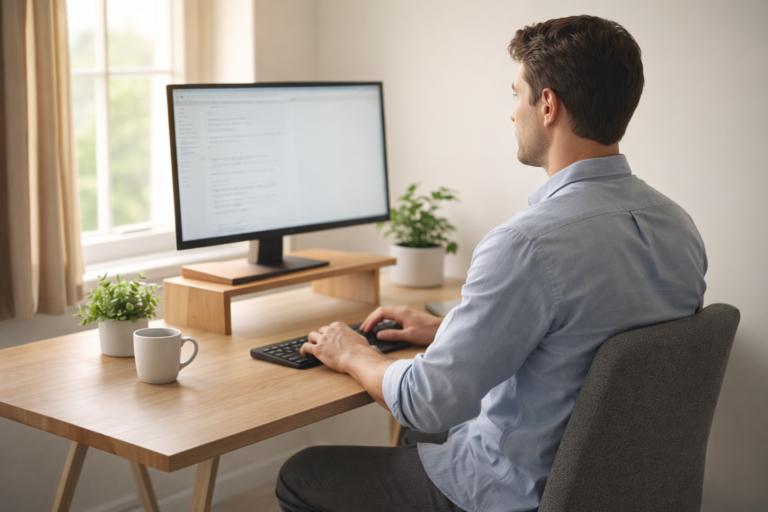
Where it should be: The top of your screen should be at or just below eye level. When you’re sitting with good posture, your eyes should land naturally on the top third of the display — not the center, and definitely not the bottom.
Free fix: Stack thick books, a ream of paper, or a sturdy box under your monitor. Get it to the right height before you spend anything. If books work, you’ve confirmed this is your problem.
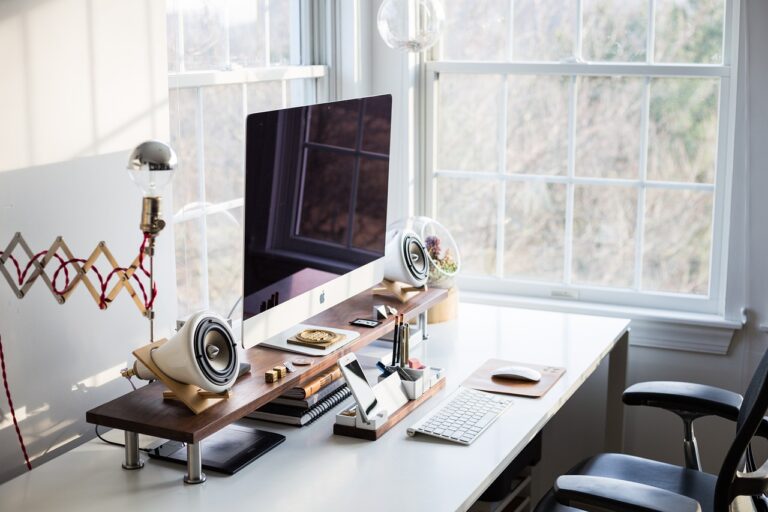
Product fix: A monitor riser for small desks gives you a stable, consistent height without the stack of books. If you want full adjustability — height, tilt, and horizontal position — a monitor arm is the more capable option. We break down exactly which height your monitor should be and how to measure it in a separate guide.
Fix #1: Raise Your Monitor
If your desk is under 48″, footprint matters as much as height range.
We tested the most compact options and ranked them by what actually matters for small desks.
If you’re already certain your monitor is too low, this article on monitor-too-low neck pain covers what’s actually happening to your neck and what to do about it.

2. Screen Distance
The problem: Your monitor is either too close or too far. Too close causes eye strain. Too far causes you to lean forward, rounding your back and pushing your head toward the screen.
Where it should be: Arm’s length. Sit back in your chair with good posture. Extend one arm forward. Your fingertips should just graze the screen. If you have to stretch to reach it, it’s too far. If your elbow is still bent, it’s too close.
Free fix: Move your chair or your monitor. That’s it. No product needed. This is a positioning problem, not an equipment problem.
Adjustment tip: If moving the monitor means losing the height you’ve already set, fix the height and distance at the same time. A monitor arm makes this significantly easier because you can pull the screen toward you without also raising your desk.
3. Keyboard and Mouse Position
The problem: Your keyboard is too far away, which causes you to reach forward. Your mouse is off to the side of that reach, which causes shoulder strain. Both mistakes come from treating your desk surface as the natural resting point for your hands — it usually isn’t.
Where they should be: Elbows at approximately 90 degrees, arms close to your body, wrists straight (not bent up or down). The keyboard should be close enough that your forearms are roughly parallel to the floor — or angled very slightly down.
Free fix: Pull the keyboard closer. If you’re using a full-size keyboard with a numpad you don’t use, the numpad is pushing your mouse further away than it needs to be. A compact keyboard or tenkeyless layout keeps the mouse closer.
Product fix: An ergonomic keyboard (split or low-profile) keeps your wrists in a more neutral position. A vertical mouse reduces forearm rotation. Neither is necessary if repositioning the standard equipment eliminates the discomfort.
4. Chair Height and Lumbar Support
The problem: Your chair is set for whoever used it before you, not for your body. Most people sit with their chair too low or too high, both of which alter your spine’s natural curve. Many chairs also provide no useful lumbar support.
Where it should be: Feet flat on the floor, knees at roughly 90 degrees, thighs parallel to the ground. Your lower back should have a slight inward curve — not rounded forward, not exaggeratedly arched.
Free fix: Adjust the chair height first. If your chair has a lumbar adjustment, set it so it contacts the curve in your lower back, not the middle of your back. If your chair has no lumbar support, roll a small towel or use a folded jacket and place it between your lower back and the chair back.
Product fix: A lumbar support cushion is worth buying if your chair has no built-in support and you spend most of your day sitting. A better chair is worth the investment if the current one can’t be adjusted to fit you correctly.
5. Laptop Users: The Screen-Keyboard Trade-Off
The problem: A laptop screen is attached to its keyboard. If the screen is at eye level, the keyboard is too high. If the keyboard is at a comfortable height, the screen is too low. You can’t solve both problems with a laptop alone.
The fix: You have to separate the screen from the keyboard. There’s no partial solution here.
Free fix: Prop the laptop on books to raise the screen, then use any external keyboard and mouse to control it at the correct hand position. This works immediately and costs nothing if you already have a USB keyboard.
Product fix: A laptop stand for neck pain replaces the books with a stable, height-adjustable platform. Pair it with an external keyboard and mouse and the laptop becomes a second monitor with a proper ergonomic setup behind it.
6. Lighting and Glare
The problem: Glare on your screen forces you to lean forward to read through the reflection, or tilt the screen in a direction that moves it away from your ideal position. Overhead lighting that shines directly on your screen makes both worse.
Where it should be: The brightest light source in the room should be to the side of your screen, not behind it or in front of it. Your screen should be the brightest object you’re looking at, not competing with a window behind it.
Free fix: Reposition your desk so the window is to your side, not in front of or behind you. If that’s not possible, close the blind during peak sun hours. This is a room configuration problem before it’s a product problem.
Product fix: A monitor light bar (a horizontal LED light that mounts on top of the monitor and illuminates the desk surface below) solves the lighting problem without adding glare because it shines down, not at your face. Only useful once you’ve fixed the monitor position.
7. Movement and Breaks
The problem: Static posture is the problem that compounds everything else on this list. Even a perfect ergonomic setup causes discomfort if you stay in it without moving. Your muscles, discs, and joints need variation throughout the day.
The rule: The 20-20-20 rule is a useful anchor — every 20 minutes, look at something 20 feet away for 20 seconds. This is for eye strain, but the habit of pausing every 20 minutes also creates a natural opportunity to shift position, stand up briefly, or stretch your neck.
No product needed: A phone timer or a simple desktop reminder app handles this. No equipment, no money.
What helps most: Standing for one to two minutes every 30 to 45 minutes reduces the cumulative strain from sustained sitting. You don’t need a standing desk to do this — you need a reason to stand up. Walking to get water, using a restroom on a different floor, or leaving your phone on the other side of the room creates the variation without requiring a routine.
One Fix, Starting Today
Go back through the list. One item is clearly wrong for you right now.
Fix that one thing today. Not all seven. Not three. One.
A week from now, the discomfort from that specific issue will have reduced enough to tell you whether something else is still bothering you. Then fix the next one.
Seven weeks is faster than it sounds. Most people feel a significant difference within the first two fixes — because the monitor height and chair position together account for the majority of desk-related neck and back discomfort.
Start with the monitor.
Ready for the next step?
The fastest fix on this checklist: get your monitor to the right height.